
Smiling Joker on Mobile: Play the Classic Slot in Canada


Install the app
Add Smiling Joker to your home screen and play in one tap — no store needed.
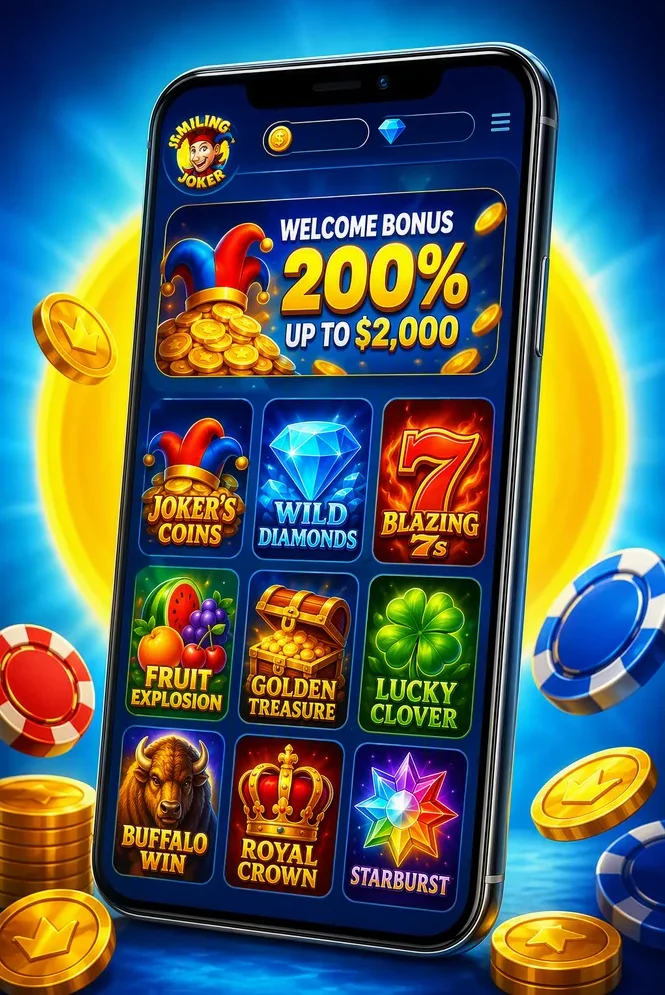
Installation on iOS
- Open smilingjoker.com in Safari browser on your iPhone
- Tap the «Share» button at the bottom of the screen
- Choose «Add to Home Screen» and tap «Add»
Installation on Android
- Open smilingjoker.com in Chrome browser on your Android device
- Tap «Three dots» on the top right
- Tap «Add to Home screen» and tap «Install»
Is There a Native Smiling Joker App? The Honest Answer
Apollo Games does not publish a standalone Smiling Joker application in the Apple App Store or Google Play. There is no official APK file to sideload and no branded casino application dedicated solely to this slot. That is not an oversight — it reflects a deliberate industry approach for classic HTML5 titles of this type.
What exists instead is a mobile-optimised web build that delivers the complete game through any modern smartphone browser. When a licensed Canadian casino offers Smiling Joker, its own iOS or Android app also includes the slot, but that app is simply a wrapper around the same mobile web version. The gameplay, RTP range, volatility, and Joker Wild mechanics are identical whether accessed through a browser or a casino wrapper.
For Canadian players, this means there is nothing to download, update, or store on device storage. Open Chrome or Safari, navigate to a licensed operator, and the slot loads directly. The demo version is equally accessible this way — no registration required to test the 3x3 grid and 27 ways to win before committing real C$.
| Access Method | Platform | Download Required |
|---|---|---|
| Mobile browser (Chrome) | Android | No |
| Mobile browser (Safari) | iOS (iPhone / iPad) | No |
| Licensed casino app | Android / iOS | Casino app only (not slot-specific) |
| Standalone Smiling Joker app | Any | Does not exist |
How to Play Smiling Joker on Android Devices
Android users have the most straightforward path to Smiling Joker. Chrome handles the HTML5 build without any plugins or compatibility issues, and most licensed Canadian casino sites are fully optimised for Android viewports.
- Open Chrome on your Android device and navigate to a licensed Canadian casino that carries Smiling Joker. Verify the licence at the bottom of the homepage — look for iGaming Ontario or Kahnawake Gaming Commission credentials.
- Create an account or log in. Registration takes under three minutes. You will need a valid email address and to confirm you are 19+ (18+ in Alberta, Manitoba, and Quebec).
- Make a deposit via Interac. Most operators set the minimum at C$10 through Interac e-Transfer, which processes instantly with no fees. Some operators require C$20 for card deposits.
- Search for Smiling Joker in the casino lobby. Use the search bar or filter by provider (Apollo Games) or category (Classic Slots).
- Set your bet and spin. Tap the bet control to adjust your stake in C$. Raising the bet level activates the Joker Wild feature — check the in-game paytable for the exact threshold at your chosen casino.
If the casino also offers an Android app via Google Play, it wraps the same mobile web experience. Downloading the app is optional — the browser version works identically. For step-by-step gameplay mechanics, see the How to Play Smiling Joker guide.
Playing Smiling Joker on iPhone and iPad: iOS Guide
iOS handles Smiling Joker well, but the path differs slightly from Android. Apple restricts real-money gambling applications on the App Store for most international markets, so the browser route via Safari is the standard — and most reliable — method for Canadian players.
- Open Safari on your iPhone or iPad. Safari's WebKit engine fully supports the HTML5 game build used by Apollo Games.
- Navigate to a licensed Canadian casino and log in or register. Confirm the operator holds a valid iGaming Ontario or Kahnawake Gaming Commission licence.
- Deposit in C$. Interac e-Transfer deposits from C$10 are processed instantly. Once credited, your balance appears in the casino wallet immediately.
- Find and launch Smiling Joker. The 3x3 grid scales cleanly to iPhone and iPad screens in both portrait and landscape orientation. Touch controls replace mouse clicks — tap to spin, press and hold to access autoplay settings.
There is no installation step and no need to add a home screen shortcut unless you prefer that convenience. The game loads on demand, and the demo version is accessible the same way without logging in.
Mobile Features: What Still Works When You Spin on a Phone
A common concern with mobile slots is that the browser version strips out features or reduces the RTP relative to desktop. With Smiling Joker, that is not the case. The mobile build is the same certified game file — nothing has been removed or downgraded.
| Feature | Desktop | Mobile |
|---|---|---|
| Grid layout | 3x3, 27 ways to win | 3x3, 27 ways to win |
| RTP range | 85–99% (typically ~95%) | 85–99% (typically ~95%) |
| Volatility | Medium | Medium |
| Joker Wild (bet-activated) | Yes | Yes |
| Autoplay | Yes | Yes |
| Demo mode | Yes | Yes |
| CAD bet controls | Yes | Yes (touch-adapted) |
The Joker Wild activation rule remains the same on mobile: the Joker symbol only acts as an extra Wild when your stake reaches a sufficient level. Raise the bet control in the touch interface and the paytable updates to confirm when the feature is live. Medium volatility means the balanced payout rhythm players experience on desktop carries over unchanged to the phone screen.
Deposit Limits on Mobile: Minimum Stakes in Canadian Dollars
All deposits and bets at licensed Canadian casinos are conducted in CAD. There are no currency conversion fees when playing Smiling Joker through a properly licensed operator.
| Method | Min Deposit | Max Deposit | Processing Time |
|---|---|---|---|
| Interac e-Transfer | C$10 | C$5,000 | Instant |
| Visa / Mastercard | C$20 | C$5,000 | Instant |
| Bank Transfer | C$20 | C$10,000 | 1–3 business days |
Interac e-Transfer is the preferred method for most Canadian players — instant processing, no fees on deposits, and no need to enter card details on a mobile keyboard. Bet limits within the Smiling Joker game itself are set by the casino operator, but typical ranges run from C$0.20 per spin up to C$100 per spin. Always verify the exact limits in the game settings panel before starting a real-money session.
Setting a session budget before spinning is straightforward on mobile: use the deposit limit tools in your casino account settings to cap daily or weekly spend in C$. For current bonus offers applicable to mobile deposits, see the Smiling Joker Bonus page.
Recommended Casinos for Playing Smiling Joker on the Go
Choosing the right casino for mobile Smiling Joker play comes down to three criteria: a valid Canadian licence, Interac support in CAD, and a mobile interface that keeps the 3×3 grid clean on a small screen. The table below summarises the key selection factors experts apply when evaluating operators for Canadian players in 2026.
| Casino | Licence | Welcome Bonus (C$) | Min Deposit (C$) | Interac Support |
|---|---|---|---|---|
| Casino Alpha | iGaming Ontario | 100% up to C$500 + 100 FS | C$10 | Yes |
| Royal North Casino | Kahnawake Gaming Commission | 100% up to C$400 + 150 FS | C$10 | Yes |
| Maple Spin | Kahnawake Gaming Commission | 100% up to C$300 + 200 FS | C$20 | Yes |
| Northern Reels | iGaming Ontario | 100% up to C$500 + 50 FS | C$10 | Yes |
All listed operators carry either an iGaming Ontario or Kahnawake Gaming Commission licence, accept Interac e-Transfer deposits from C$10, and have confirmed Apollo Games titles — including Smiling Joker — in their mobile catalogue. Wagering requirements on welcome bonuses typically run 35×–40×. Always review the current terms on the casino's own site before depositing. For a deeper comparison, visit the Where to Play Smiling Joker guide. 19+ only. Play responsibly.
Troubleshooting: Why Smiling Joker Won't Load on Your Phone
When Smiling Joker fails to launch on mobile, the cause is almost always one of a handful of common browser or connection issues rather than a fault with the game itself. Working through the following steps resolves the problem in most cases.
- Clear browser cache and cookies. Cached files can conflict with the HTML5 game frame. In Chrome or Safari, go to Settings → Privacy → Clear Browsing Data and remove cached images and cookies.
- Disable ad-blockers for the casino site. Ad-blocking extensions frequently block the game iframe. Whitelist the casino domain in your blocker's settings, then reload the page.
- Switch to Wi-Fi or a stronger 4G/5G signal. Smiling Joker's 3×3 HTML5 build is lightweight, but a weak or congested mobile data connection can stall the initial load.
- Update your browser. Outdated versions of Chrome or Safari can misrender HTML5 games. Install the latest available update and retry.
- Try demo mode first. If the real-money version is slow to launch, open the free demo — it uses the same game files and confirms whether the issue is on your device or with the casino's server. If demo loads fine, contact the casino's live chat for account-specific assistance.
If none of the above resolves the issue, a quick message to the casino's 24/7 live chat — referencing the device, browser version, and the specific error — typically gets a resolution within minutes.
Mobile Data and Session Budget: Playing Responsibly in Canada
Mobile play makes it easy to spin between commitments, which is exactly why a session budget matters more on a phone than at a desktop. Licensed Canadian casinos regulated by iGaming Ontario or the Kahnawake Gaming Commission are required to offer the following responsible gambling tools — use them before your first spin in 2026.
- Deposit limit: Set a daily or weekly cap in C$ directly in your account settings. A typical starting point is C$50 per day or C$200 per week.
- Loss limit: Caps the amount you can lose in a defined period. Once reached, the account pauses further real-money play until the limit resets.
- Session timer: Most platforms send an alert after 60 minutes of continuous play — a practical nudge to step back.
- Self-exclusion: Ontario residents can register with the iGO Self-Exclusion Registry, which blocks access to all licensed Ontario casinos for a period of six months to five years.
- Take a break / reality check: Short cooling-off tools available at account level, useful for pausing mid-session.
If gambling stops feeling recreational, support is available 24/7. ConnexOntario can be reached at 1-866-531-2600, and CAMH (Centre for Addiction and Mental Health) offers resources at camh.ca. Gambling is permitted for players aged 19+ in Ontario, BC, and most provinces; 18+ in Alberta, Manitoba, and Quebec. For more on RTP and how to frame your session budget mathematically, see the Smiling Joker RTP and volatility guide.
Frequently Asked Questions
No. Apollo Games does not publish a standalone Smiling Joker app for the Apple App Store or Google Play. Instead, the slot is built in HTML5 and runs directly in your mobile browser — Chrome on Android or Safari on iPhone. You can also access it inside any licensed Canadian casino's own app, which simply wraps the same mobile web version.
Yes. Canadian players aged 19+ can play Smiling Joker for real money in CAD through licensed online casinos that work on mobile. Most operators support Interac deposits from C$10, and the slot loads smoothly in both phone browsers and casino apps. Always confirm the casino holds a valid Canadian licence before depositing.
Yes. The mobile build is the same certified game as the desktop version, so the RTP is identical. Apollo Games certifies the title within an 85–99% range, and most casino listings show a typical value of 95% for Smiling Joker. The exact figure shown in the lobby can differ slightly by operator, so check the game info panel before you spin.
In Canada, minimum deposits at mobile-optimised casinos typically start from C$10 through Interac e-Transfer, though some operators set the floor at C$20. Bet limits for the slot itself are set individually by each casino and shown in the game settings. Always verify the exact CAD limits before starting a real-money session.
Yes. Joker symbols that act as extra Wilds are fully present in the mobile version. They only activate when your bet is high enough, so raise the stake in the touch controls to trigger them. The 3×3 grid and all 27 winning ways remain unchanged in portrait and landscape orientations.
The most common causes are a full browser cache, an ad-blocker interfering with the game frame, or a weak mobile data connection. Refresh the page, clear the cache and turn off ad-blockers for the casino site. If the game still stalls, switch to Wi-Fi or try the casino's own app instead. Running the free demo is a quick way to isolate whether the problem is device-side or account-side.
In Ontario, online casinos are regulated by iGaming Ontario under the AGCO framework, while operators serving other provinces often hold a licence from the Kahnawake Gaming Commission. Play only at sites licensed by these bodies to ensure the game is offered legally and your deposits are protected. Always confirm the licence before playing.